


 through our G2G profile

 LoL Accounts
 Valorant
 WoW accounts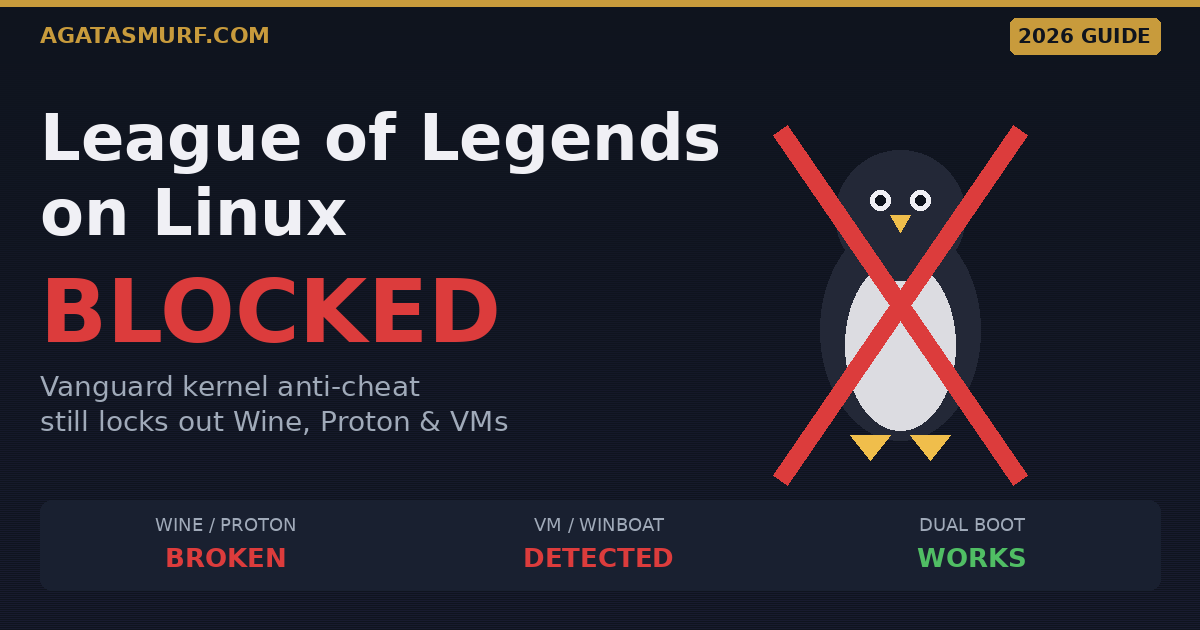
Look, I’ll save you the scrolling. Trying to get league of legends linux compatibility in 2026 is still a wall. Vanguard kills Wine, Proton, and every VM you throw at it, and patch 26.8 from this month made zero difference. If your daily driver is Linux and you want ranked, you’re booting Windows. Either dual boot or pop a Windows install onto an external SSD. I’ve lived with both setups for a while now and they’re the only two that hold up.
Below is everything I know about playing on a Linux box right now, what you can still try, what will actively get you in trouble with Riot, and a couple of alternatives if you’ve finally had enough. This was rewritten for the end of Season 1 2026, wrapping up on April 28.
Quick answer: League of Legends Linux status in 2026
Skimming? Fair. Here’s the cheat sheet before your queue pops.
| Method | Works in 2026? | Why |
|---|---|---|
| Wine / Lutris | No | Vanguard cannot verify the kernel, client refuses to launch |
| Proton / Steam | No | Same kernel attestation problem |
| QEMU / KVM virtual machine | No | Vanguard detects the VM fingerprint and refuses |
| Winboat (Docker Windows) | No | Still a VM, still flagged |
| GeForce NOW cloud | No | Nvidia delisted League after patch 14.9 |
| Dual boot Windows | Yes | Actual Windows kernel, Vanguard is happy |
| External Windows SSD | Yes | Same as dual boot, just portable |
Want to skip the grind once Windows is up? We keep stocked League of Legends accounts with instant delivery so you can jump straight into ranked. But if you came for the technical bits, stick around.
Why Vanguard killed League of Legends on Linux
Quick backstory for newer folks. Back in January 2024, Riot dropped the news that Vanguard (their paranoid little kernel module from Valorant) was coming to League too. Patch 14.9 rolled it out globally in April of that year, and yeah, that was the day my Lutris setup stopped booting and the whole league of legends linux scene fell off a cliff. Before Vanguard I was running Lutris-GE 6.16 and getting roughly Windows-level FPS out of my 5700 XT. League on Linux with Wine actually used to run smoother than on Windows for me, weird flex I know but it was a nice time.
Vanguard isn’t really in the same category as older anti-cheats like EAC or BattlEye. Those run in user space, mostly. Vanguard loads before anything else and keeps poking at your system: is Secure Boot on, is TPM 2.0 wired up, has the kernel been tampered with, are any weird modules loaded. Wine can’t answer any of those because Wine is just a translation layer. It pretends to be Windows for the game, but it’s not a Windows kernel. Proton is Wine with Valve patches, so same problem.
Riot came out and said all this pretty bluntly in their April 2024 dev post. The line that stuck with me was them basically saying Linux can’t prove its boot state to their satisfaction, and with something like 800 daily Wine players, they figured the engineering effort wasn’t worth it. Brutal but fair I guess. The full quote and a ton of context is archived at the official League of Linux wiki if you want to read the Rioter comments yourself.
Quickstruct put out a decent 2026 walkthrough that runs through the current state of League on Linux and what you can actually do about it. Short and to the point.
Every method people still try on Linux
I’ve seen Redditors trying all kinds of wild stuff over the last two years. Here’s what each of those methods actually does when you plug it into 2026.

Wine and Lutris
Before April 2024 this was the default league of legends linux path for anyone using Ubuntu or Arch. Install Lutris, run the League script, grab a coffee, play. Today the install part still runs fine and even the Riot Client still pops open. Looks promising for about 20 seconds. Then it tries to hand off to Vanguard, fails, and you’re stuck staring at either a black screen or a Vanguard error code. Doesn’t matter if you’re on Mint, Bazzite, Pop!_OS, CachyOS, I’ve tried them all. No workaround. People have been posting the same result on the Linux Mint forums as recently as January 2026.
Proton and Steam
Same deal. Proton is Wine with Valve’s tweaks, and Riot never put League on Steam anyway so you’d be pointing Proton at the Riot Client manually. Vanguard doesn’t care how you got there, it’s looking at the kernel. Skip it. Not worth your evening.
Virtual machines: QEMU, KVM, VirtualBox
On paper a KVM setup with GPU passthrough sounds great. Full Windows as a guest, your GPU handed over to it, League inside. And yeah, this actually worked for a few months in 2024 before Riot patched Vanguard’s VM detection. Now it reads hypervisor CPUID flags and bails the moment it sees them. There are community QEMU patches that spoof those flags, but running those is how people get actual bans. Don’t do it on your main. I trashed a friend’s account testing this so I’m not joking.
Winboat and Docker-based Windows
Winboat has been picking up hype on r/linux_gaming. The pitch is that it wraps a full Windows into a Docker container so it looks like a window on your Linux desktop. Cool tech. Still a VM though. Vanguard sniffs it out the same way. People on the Linux Mint thread from January have confirmed it just doesn’t work. Don’t waste a weekend setting it up hoping for a miracle on this one.
Cloud gaming and GeForce NOW
Yeah, Nvidia pulled League the day patch 14.9 went live, April 30 2024. If you check the GeForce NOW support article right now it still says the game is in maintenance, which has become kind of a running joke in the community. For a while cloud was the one place league of legends linux users still had a prayer, but that door shut fast. Even now that GFN got a proper native Ubuntu client in January 2026 (which rules for other games by the way), League is nowhere on it. Shadow, Boosteroid, Luna, same answer. All of these rely on VMs on the backend.
Hackintosh with Vanguard
You’ll run into Redditors who swear by the macOS route. The idea is neat: Vanguard doesn’t exist on macOS at all, so if you can boot a Mac client in a Hackintosh VM, theoretically you slip past everything. In practice, nobody has a stable graphical setup working as of April 2026. The leagueoflinux.org wiki tracked attempts for a while and every one of them fizzled out. I tried it once on a spare box, spent six hours on it, got nowhere, and went back to dual booting.
The only real way to play League on a Linux machine
If you actually want to play and you’re on Linux, you need real Windows on real hardware. Period. There are two flavours of this and I’ve run both for long stretches.
Option 1: Dual boot Windows alongside Linux
This is where most people end up eventually. You shrink your existing Linux partition, drop Windows onto the empty space, and let the boot menu ask you what to load next time you turn the machine on. Steps that worked for me:
- Back up Linux first. Windows will absolutely nuke your GRUB entry during install, happens every time. Timeshift snapshot or a Clonezilla image, take your pick.
- Make a Windows 11 install USB with Rufus from the Microsoft ISO. Don’t grab a sketchy one off some download site, just get it from microsoft.com.
- During the Windows installer, aim for the unallocated space you carved out. Do not touch your Linux partitions. Windows will make its own EFI entry.
- Once Windows is done and logged in, boot a Linux live USB and run
sudo update-grubor reinstall withgrub-install. Boot menu is back, and now you can pick which OS you want. - Into Windows, pull the Riot Client, install League, let Vanguard do its thing, queue up.
Thing nobody mentions: Vanguard needs Secure Boot and TPM 2.0 on Windows 11 side. If you turned those off for Linux stuff (I know a lot of us did for Nvidia driver signing), you’ll have to toggle them back on before Windows will even let Vanguard run. Secure Boot can also fight with GRUB sometimes, so reboot into Linux after enabling it and make sure your kernel still signs properly. Most modern distros handle it fine, older ones don’t.
Option 2: External SSD with Windows To Go
Personally this is what I run now. Nothing on my main disk gets touched. My whole league of legends linux setup lives on a 500GB NVMe in a USB 3.2 Gen 2 enclosure, I plug it in when I want ranked, boot from it, play, unplug, and my Linux box is untouched. It’s the cleanest setup I’ve found.
Rufus handles the whole Windows To Go creation. Pick your Windows 11 ISO, select the external drive, tick the Windows To Go box, wait. Done. Takes maybe 20 minutes. You do need a fast drive though, cheap USB sticks will turn League into a slideshow. I tried it on a generic 128GB stick first and it was painful. The NVMe in a proper enclosure runs at like 140 FPS on medium, basically the same as native Windows on internal storage.
Secure Boot and TPM still apply here too. Your BIOS needs to be willing to boot from USB with Secure Boot on, which most modern boards are, but older laptops sometimes aren’t.
What Riot actually said about Linux
A lot of people missed this because it was buried in a long dev blog. April 2024, Riot’s security engineer wrote something like: Linux doesn’t give them enough ability to attest boot state or kernel modules, and letting emulation through would let cheats run on the host and mess with the VM in ways Vanguard couldn’t see. Then they dropped the number that stung: 800 daily Linux players wasn’t worth the effort.
That was two years ago and nothing about Riot’s position on league of legends linux support has changed since. No Linux Vanguard on any roadmap, no macOS version either (which they’ve also publicly killed), no quiet community outreach. If you follow the MOBA subreddit you’ll see the Linux question pop up every couple months and the top comment is always the same: dual boot or quit.
Will you get banned for trying League on Linux?
Straight answer. If you just run Lutris and hit the Vanguard wall, no. The game never actually launches, there’s literally nothing to ban on. Riot has also been on record saying using Linux by itself isn’t permaban material. Back in July 2021 there was a bad ban wave that swept up Wine users by accident, and /u/riotk3o reverted every one of those within a day. That goodwill is still a thing in 2026.
Where the risk gets real is QEMU with anti-detection patches or any tool that spoofs hypervisor flags. That’s the line. Riot treats anything actively hiding from Vanguard the same way they treat cheats, and they’ve gotten better at catching those setups over time. Don’t stake a five-year-old main on it. If you have to try, use a fresh account you don’t care about. And honestly, before you log into anything you’re unsure about, run a quick LoL ban check first. Takes a minute and saves you a headache.
How we got here: a brief history of League of Legends Linux
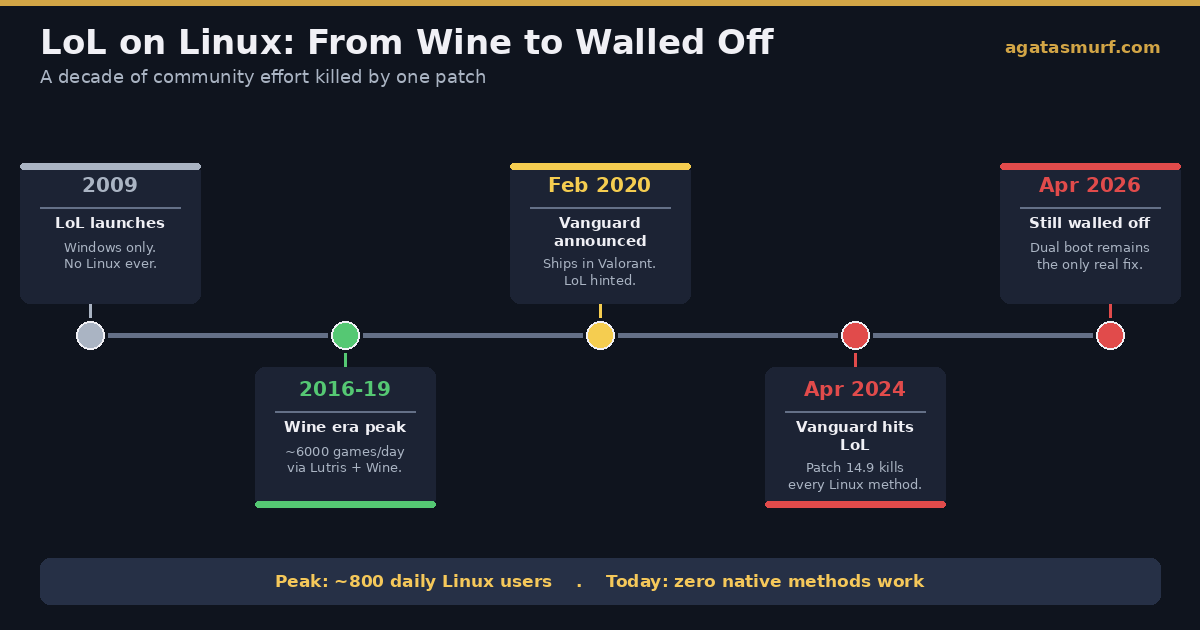
Short backstory for the newer folks. League dropped in 2009 as a Windows title with a side of macOS. Linux? Never got a client. Community Wine wrappers showed up within a year or so (PlayOnLinux, mostly) and by the mid-2010s the Lutris install script became the way everyone did it. Between roughly 2016 and 2019, League on Wine was honestly pretty great. I was running it on Ubuntu 18.04 and hit Diamond two splits in a row without ever dual-booting.
Then February 2020 happened. Riot unveiled Vanguard for Valorant, and tucked into the same dev post was a one-liner saying it could eventually hit League too. Four straight years of the community refreshing twitter every patch notes day waiting for the shoe to drop. It dropped January 5 2024 with the formal announcement, and patch 14.9 in April of that year actually shipped it. That’s the day the entire scene died.
leagueoflinux.org is still online but marked unsupported. Every install guide on there has a big red banner at the top telling you the game won’t run. Bit sad to scroll through honestly, that site was a goldmine back in the day.
Alternatives to League that actually run on Linux
If you landed here because you just want a 5v5 MOBA without booting Windows, I hear you. Avoiding the whole league of legends linux nightmare is sometimes the right move. Here’s what I still play on my Linux box:
- Dota 2. Native Linux, Valve maintains it properly, performance is often better than on Windows. Closest thing to League in depth and skill ceiling. First 50 hours are rough but worth it.
- Deadlock. Valve’s third person MOBA shooter hybrid. Tons of ex-League players moved over when it opened up in 2025. Native Linux via Steam.
- Smite 2. Third person MOBA, Proton handles it great. Different camera but same 5v5 itch.
- Heroes of the Storm. Still alive somehow, still works under Battle.net via Lutris. Quicker matches, lower skill floor.
- Pokemon Unite. Via Waydroid if you’re desperate. Very casual.
- Wild Rift. If you miss the champions but not the rig drama, phone version works fine and doesn’t care what OS your PC runs.
Dota 2 is the obvious pivot if you’re coming from higher elo. Valve genuinely respects the Linux userbase, which I can’t say about a lot of other devs these days. I still boot Windows for League a few nights a week, but most of my casual time shifted to Dota and Deadlock since I got tired of the whole reboot dance.
Steam Deck and handheld Linux devices
Exact same rules. SteamOS is Arch with Proton on top, Vanguard doesn’t care, so League is blocked on Deck too. The only real path on a Steam Deck is wiping SteamOS for Windows or installing Windows on a microSD and booting from that. r/SteamDeck has walkthroughs for both. Performance is decent, touch controls are not, the trackpads weren’t built for a tryhard ranked climb but they’ll do for quick ARAM. Legion Go S, Rog Ally X with Bazzite, ROG Xbox Ally, same story on all of them if they’re running any Linux-based OS.
Is there any hope for native Linux support?
Realistically, no. A few things would have to click:
- Riot would need to ship a Linux-specific Vanguard build with a different attestation method. They’ve said they won’t.
- The Linux kernel would need a standard cross-distro boot attestation interface. There’s work happening around systemd and fwupd but it’s nowhere close to universal.
- The Linux userbase would have to grow enough to matter commercially. 800 daily players before Vanguard wasn’t enough, and the number is obviously zero now.
Wine devs have been upfront too: even if a Linux Vanguard existed tomorrow, Wine probably can’t satisfy kernel attestation from user space anyway. Proton’s in the same boat. The only actual fix for league of legends linux compatibility is a first-party Linux client from Riot, and that has never existed and is not coming. If League is your game and you’re picking your main OS today, you’re picking Windows. That’s just 2026 reality. Dual boot if you want Linux for everything else, which is what I do.
FAQ
Can you play League of Legends on Linux in 2026?
Nope. I tried again last week on patch 26.8 and got the same Vanguard wall everyone hits. Wine, Proton, Lutris, QEMU, Winboat, all dead. If you refuse to leave Linux, your options are dual boot or a Windows install on an external SSD. Nothing else works right now, and honestly I’ve given up waiting for it to change.
Why does Vanguard block Linux?
Because Vanguard runs at ring 0, meaning it sits right next to the kernel and wants to verify the whole boot chain. It wants Secure Boot on, TPM 2.0 attached, and a Windows kernel it recognises. Linux doesn’t hand any of that over in a way Riot trusts. Wine is not a kernel, Proton is not a kernel, so neither of them can fake it either. End of story.
Does GeForce NOW still have League of Legends?
Still no. Nvidia yanked it the day patch 14.9 shipped back in April 2024 and it never came back. I checked again this month. And yeah, GeForce NOW got a proper Ubuntu client in January 2026 which is great for everything else, but League is still missing because the cloud servers are VMs and Vanguard hates VMs.
Will I get banned for trying League of Legends on Linux?
Just running Lutris and failing won’t ban you. The game literally doesn’t start, so Riot has nothing to flag. Where people do get into trouble is QEMU with hypervisor spoofing patches. That crosses a line and the Vanguard backend is pretty good at catching it now. Don’t burn a main account over it. Use a throwaway if you’re curious.
Can I play League of Legends on the Steam Deck?
Not on SteamOS. Same Vanguard block. I’ve seen a few Deck owners install Windows on an SD card or wipe SteamOS entirely, and that does work. Touch controls aren’t great for a MOBA though, so you’ll want a keyboard or one of those tiny Bluetooth kits. I wouldn’t bother for ranked, but for quick ARAM when you’re away from your desk it’s fine.
What is the best alternative to League of Legends on Linux?
Dota 2. Runs native on Linux, often performs better than on Windows, and the anti-cheat doesn’t mess with your kernel. If you want something newer, Deadlock from Valve pulled a ton of ex-League players in 2025 and also runs native. Smite 2 under Proton is solid. Heroes of the Storm still works if you miss that simpler MOBA feel.
Will Riot ever support Linux for League of Legends?
I’d bet money against it. Riot said flat out in their April 2024 dev blog that Linux can’t give Vanguard what it needs, and that ~800 daily Wine users wasn’t worth the work. Two years later and not a word has shifted. They also confirmed no macOS version of Vanguard, so even the Hackintosh door is shut. If you want a Linux MOBA in 2026 you play Dota 2.
The bottom line on League of Legends Linux
If you want to play League in 2026 and you daily-drive Linux, you’re booting Windows somehow. That’s the whole post in one sentence. Dual boot works great, external Windows SSD works great, and everything else between Wine, Proton, VMs, and cloud is either broken or risky. Riot has made their stance clear and nothing on their 2026 roadmap hints otherwise. If you’d rather skip starting from level 1 again once you’ve got Windows up, we stock LoL smurf accounts ready for NA, EUW, EUNE, and the rest. Otherwise, Season 2 of 2026 kicks off April 29, plenty of time to grind.
For weirder setups, we also have a separate breakdown on playing League of Legends on a Chromebook, which covers the ChromeOS Crostini side. Same Vanguard problem, different flavour.
Last updated: April 2026. Patch 26.8.
